Crazy Cars Unblocked — Play Free Online
More Runners & Driving games






Crazy Cars unblocked: play Crazy Cars online free right here in your browser — no download, no sign-up, works on a school Chromebook.
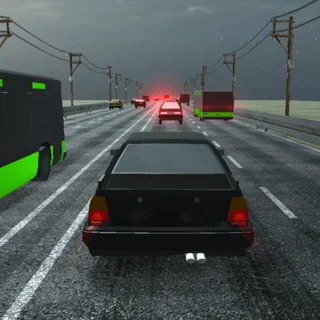
Crazy Cars delivers an energetic 3D arcade driving experience centered around wild stunts, high-flying jumps, and sprawling obstacle tracks. Rather than forcing you onto rigid racing circuits, the game drops you into dynamic playgrounds loaded with wooden ramps, loop-the-loops, and scattered pickups designed to test your vehicle handling.
Every session emphasizes immediate speed and responsive physics. You build momentum across open stretches, aim for steep incline ramps, launch hundreds of feet into the air, and fight to level out your chassis before hitting the ground. Crashing is never punishing; a quick tap gets you right back into the driver seat to attempt an even cleaner landing.
On FNAF Plus, where survival horror titles demand intense concentration and patience, Crazy Cars serves as a vibrant, high-tempo contrast. It requires zero setup and lets you jump straight into freewheeling action whenever you want quick, low-stress arcade gameplay.
How to play
Controlling your vehicle is straightforward on both desktop and mobile platforms:
- Steering: Press the Left and Right arrow keys or the A and D keys on your keyboard to navigate turns and balance your trajectory.
- Acceleration and Jumping: Use the Up arrow key, W, or the Spacebar to accelerate forward and spring off ramps for maximum airtime.
- Touchscreens: On mobile phones and tablets, use on-screen tap buttons and directional swipes to steer and trigger jumps.
- Restarting: If you flip over or hit a heavy obstacle, press any key or tap the screen to reset your position instantly.
Stunt driving tips
- Straighten out before launching: Ensure your wheels are pointing directly straight ahead just before hitting the lip of a ramp to prevent uncontrollable mid-air spin.
- Feather the steering at top speed: Hard turns at maximum velocity can cause sudden spinouts. Tap the directional keys lightly to maintain clean drift lines through tight corners.
- Scan for landing zones: While airborne, look ahead to spot flat runways or downhill slopes that absorb your impact and let you retain forward momentum.
Similar games on FNAF Plus
If you want more fast-paced rhythm and reflex challenges alongside Crazy Cars, check out Friday Night Funkin' for quick button-timing gameplay. For players seeking a shift back to atmospheric tension, Five Nights at Freddy's and Horror Dungeon 3D deliver deliberate pacing, eerie exploration, and suspenseful survival mechanics.
Questions about Crazy Cars
Is Crazy Cars unblocked at school?
Crazy Cars runs in an ordinary browser tab from fnafplus.org, with nothing to download or install, so it plays on most school Chromebooks and work computers. If a network filter blocks the site, only that network's administrator can change it.
What are the controls for Crazy Cars on desktop?
Steer your vehicle using the left and right arrow keys or the A and D keys. Press Up, W, or Space to accelerate, jump, and trigger mid-air stunts.
Can you play Crazy Cars on mobile devices?
Yes, Crazy Cars runs in modern mobile web browsers with on-screen touch and swipe controls designed for responsive driving and jumping.
Do I need to download or install Crazy Cars to play?
No downloads or installations are required. The game runs directly in any modern web browser on desktop computers, Chromebooks, and tablets.